

AI is no longer limited to basic chatbots and the new era of development and building of Artificial Intelligence tools is on the way. OpenClaw AI is currently one of the most used and the largest trending AI tools in that new era of technology, because it is not only about generating texts, but performing real-world actions. Unlike any other AI assistants, the biggest difference of OpenClaw AI is that it takes that extra step of completing actions after answering a query. It helps in running workflows and automating daily operations through chat-based commands.
The unique aspect of OpenClaw AI is its open-source, local-first approach. Users can run a fully autonomous AI agent directly on their own system with complete control over data, privacy, and customization. It can handle everything from emails and scheduling to working with files, browsers, and external tools. OpenClaw is optimized to function like a personal AI worker rather than a conversational bot.
In this article, we’re going to be going into detail about what OpenClaw AI is, discussing its primary features, and explaining exactly how OpenClaw AI works.
Table of Contents
What is OpenClaw AI?
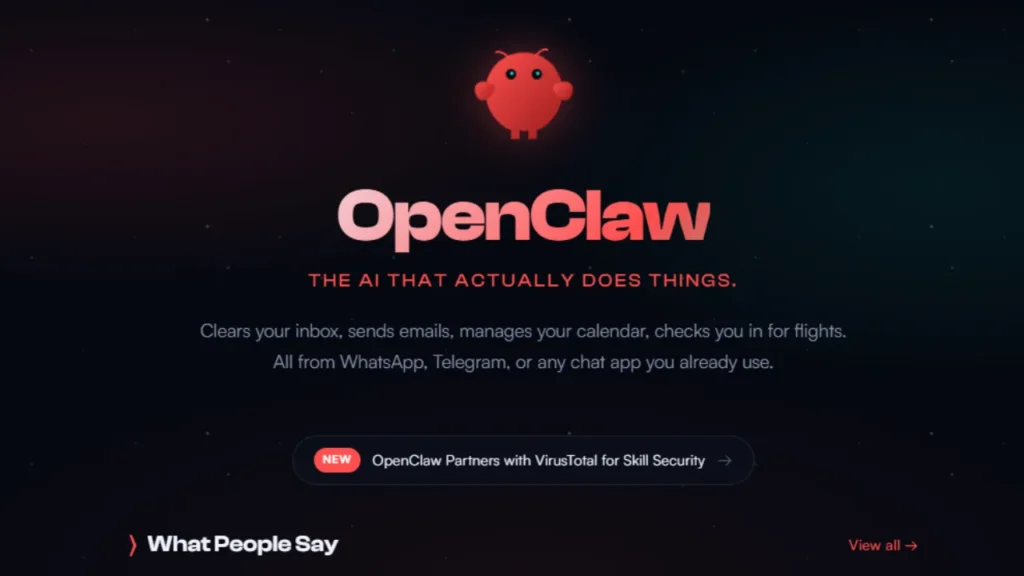
OpenClaw AI is an open-source autonomous artificial intelligence agent. OpenClaw AI actually does real work on your behalf, not just chats, in response to natural language commands. OpenClaw was first released in November 2025 by developer Peter Steinberger. It was one of 2026’s most rapidly-growing open-source AI projects.
Instead of only typing out responses, as with other AI assistants, OpenClaw runs locally on your own device (laptop, server, workstation) and can perform actions automatically. It uses large language models (like OpenAI’s GPT models, Anthropic’s Claude, or even your own local models) to understand user instructions and convert them into actual operations—managing files, reading and writing emails, interacting with calendars, automating workflows—using apps you already use: WhatsApp, Telegram, Discord, Slack, iMessage and more.
OpenClaw has described itself as “the AI that actually does things”, as it can take actions beyond just replying to your questions: it can automate tasks for you, run scripts, interact with your browser and access your data – and it keeps your data under your control because it runs on your own device.
The change from chatbots to AI agents is a significant development in AI technology – it’s taking AI from being something that tells you what to do, to something that does it for you.
How OpenClaw AI Works?

OpenClaw AI is an independent AI agent system which converts plain language instructions into actions in the real world. It interprets your intent, formulates a plan to complete the task, and finally executes that plan by taking action on your system or the connected services. Following is a detailed step-by-step explanation of OpenClaw AI’s working.
User Input Through Chat Interface
It starts with you sending a command to OpenClaw from a supported chat application like WhatsApp, Telegram, Discord, Slack, or iMessage. Commands are plain language statements like:
“Sort my project files” or “Summarize today’s emails and schedule follow ups”
Intent Understanding and Task Interpretation
After receiving the message, OpenClaw uses a large language model (LLM) to process the request.
It recognizes the user’s intent, parses the command into tasks, and figures out which tools, permissions, or system resources it will need to complete the task accurately.
Context and Memory Retrieval
OpenClaw AI has persistent memory, so it can remember previous conversations, preferences, and current operations. This allows the agent to have context, rather than interpreting every command as a unique task.
As the persistent memory grows, this will allow OpenClaw to make more intelligent decisions and automate in a more personalized way.
Planning and Decision Making
When OpenClaw has a clear grasp of the assignment, it formulates an internal execution plan. This plan may involve a number of subtasks, like opening files, launching a browser, executing a script, or interfacing with an external service.
It is this planning process that allows OpenClaw to take initiative instead of just passively reacting.
Task Execution
OpenClaw then enacts the plan by communicating directly with your system or the applications you use. It can:
- Manage files and folders
- Send emails or messages
- Update calendars and reminders
- Run scripts or commands
- Browse websites and extract data
All of this is done locally or through authorized integrations. This gives users greater control over their data and privacy.
Feedback and Follow-Up
After the completion of the task, OpenClaw will deliver the results to the user in the same chat. It may also take further action, plan for a future task, or alert you if something needs your attention.
OpenClaw is more like a proactive AI assistant instead of a one-off tool.
Top Features of OpenClaw AI

Here are the most important features of OpenClaw AI. We go through each of these aspects, that differentiate OpenClaw from your run-of-the-mill AI assistants:
Open-Source & Self-Hosted: OpenClaw AI is completely open-source. The code is available to be examined, changed and even customized. Since it is fully hosted on your local machine or a server you have control over, your data, infrastructure, and privacy.
True Autonomous Task Execution: Rather than being a chatbot that only points you to solutions, OpenClaw is capable of taking actual actions such as file management, sending emails, running scripts and workflow automation without the need for continued human intervention.
Multi-Channel Messaging Integration: OpenClaw integrates directly with major messaging platforms, including WhatsApp, Telegram, Discord, Slack, and iMessage. Users can interact with the AI through these platforms.
Persistent Memory System: It has long-term memory capabilities, allowing it to recall past conversations, user preferences, and ongoing tasks. This enables OpenClaw to learn from interactions and continuously enhance its performance and personalization.
System-Level Access & Tool Control: OpenClaw is able to safely access local files, browsers, APIs, and command line tools and it’s this ability that allows you to do things that most AI chat tools can’t do.
Skills & Plugin Ecosystem: Modular skills and plugins allow users to augment OpenClaw and do things like: extract data, perform automation, or connect to third party services.
Multi-Model Compatibility: OpenClaw can use a variety of AI models including cloud models (GPT, Claude, etc) or a local language model. This helps avoid vendor lock in and helps with cost management.
Automation & Scheduling Support: The AI can be used to schedule tasks, run recurring workflows, and background automations. These types of scenarios work well for productivity, operations, and continuous monitoring.
Privacy-Focused Architecture: Since OpenClaw runs locally and only allows approved integrations, sensitive data stays in the hands of users, a key benefit for those concerned about privacy.
Developer-Friendly & Highly Customizable: Built for developers, OpenClaw provides config files, APIs, and scripting support, allowing the AI agent to be customized for advanced or edge-case workflows.
Real-World Use Cases

OpenClaw AI is a practical, real-world automation bot. Here are some examples of real use-cases that have been made with OpenClaw. All in bullet form for short and sweet readability:
Email & Inbox Management: Automatically reads, sorts, summarizes, and replies to emails. Schedule reminders or follow-ups.
Task & Calendar Automation: Generate, update, and manage calendar events, deadlines, and recurring reminders from simple chat commands.
File & Document Handling: Organizes folders, renames files, search through documents, and extract data from PDFs/text files.
Browser & Web Automation: Surfs the web, completes forms, scrapes info, tracks changes, and automates other repetitive tasks that involve the web.
Business Workflow Automation: Automates internal business processes like reporting, data entry, CRM updates, and other common operational tasks.
Developer & DevOps Support: Executes scripts, manages repos, runs system commands, and helps with developer workflows.
Research & Data Collection: Extracts, aggregates, and stores information from different sources; provides summaries of research data.
Customer Support Assistance: Facilitates customer inquiries, ticket routing, and rapid creation of support briefs via messaging apps.
Personal Productivity Assistant: Acts as a personal assistant for scheduling, alerts, note-taking and managing day-to-day life.
Scheduled Monitoring & Alerts: Monitors systems, websites or data sources on an ongoing basis and triggers alerts when predefined conditions occur.
OpenClaw Vs Traditional AI Assistants
| Feature | OpenClaw AI | Traditional AI Assistants (ChatGPT, Gemini, etc.) |
| Core Purpose | Executes real-world tasks and automates workflows | Generates text-based responses and suggestions |
| Action Execution | Performs actions like file management, emailing, scheduling, and scripting | Cannot execute actions directly; only advises |
| Hosting Model | Self-hosted and local-first | Cloud-hosted on provider servers |
| Data Privacy | User-controlled data and system access | Data processed on external servers |
| Automation Level | Fully autonomous and proactive | Mostly reactive to user prompts |
| Memory System | Persistent long-term memory across tasks | Limited or session-based memory |
| System Access | Can interact with files, browser, CLI, and APIs | No direct system-level access |
| Customization | Highly customizable via open-source code and plugins | Limited customization options |
| Skill/Plugin Ecosystem | Community-driven skills and extensions | Controlled by the platform provider |
| Technical Complexity | Requires technical knowledge to set up and manage | Easy to use for beginners |
| Best For | Developers, power users, and businesses needing automation | General users needing answers, writing, or brainstorming |
| Security Responsibility | Managed by the user (requires caution) | Managed by the service provider |
Conclusion
OpenClaw AI is a paradigm shift in practical, everyday artificial intelligence. Rather than a chat style assistant, it’s a genuine autonomous AI agent that can understand what you tell it, plan what to do, and actually do work for you across systems and apps. It’s open source, local-first software for greater user control of data, privacy, and customization. The perfect choice for developers, technical users, and businesses who want the most advanced automation.
Since OpenClaw has broad access to the system, users need to be careful in their configuration, security, and permissions. It can provide great value and productivity for users who are willing to put time into configuration and maintenance.
If you want to take AI from “AI Assistance” to “AI Execution”, OpenClaw is one of the leading platforms in this next generation of autonomous AIs.
FAQs
What is OpenClaw AI?
OpenClaw AI is a free, open-source autonomous AI agent that can do real-world tasks in your computing environment beyond just answering questions with text. It can manage files, send emails, and automate workflows.
How does OpenClaw AI work?
OpenClaw AI interprets natural language commands and understands what you want it to do. It plans out the steps it needs to take, then takes action in your operating system or applications. It can follow up with the results, or a reminder if it gets stuck.
Is OpenClaw AI safe to use?
Yes, but be careful. OpenClaw AI runs locally, and has access to files and scripts on your machine, so users should be responsible with plugins and follow best practices with regards to security.
Can non-technical users use OpenClaw AI?
It’s more developer or power-user oriented because of the setup and configuration but some guided tutorials make it approachable for beginners.
How is OpenClaw AI different from traditional AI assistants?
Instead of only giving text responses like other assistants OpenClaw AI can actually do something, automate your workflow, and integrate with your system and apps.
Read Also:


