

We live in a world where we’re writing emails, messages, and responses almost every day. Whether you’re someone who handles client communications, a freelancer pitching new clients or an individual just looking to write better messages in less time, artificial intelligence is changing how we write.
Use Clippit AI to write professional responses, suggest tonal shifts, polish your language and save you precious time. In this Clippit AI review, we’ll delve into what the tool actually is, how it works, primary features, pricing models, who should use Clippit AI and whether you should be investing in it by 2025.
To avoid AI detection, use Undetectable AI. It can do it in a single click.
Table of Contents
What is Clippit AI?
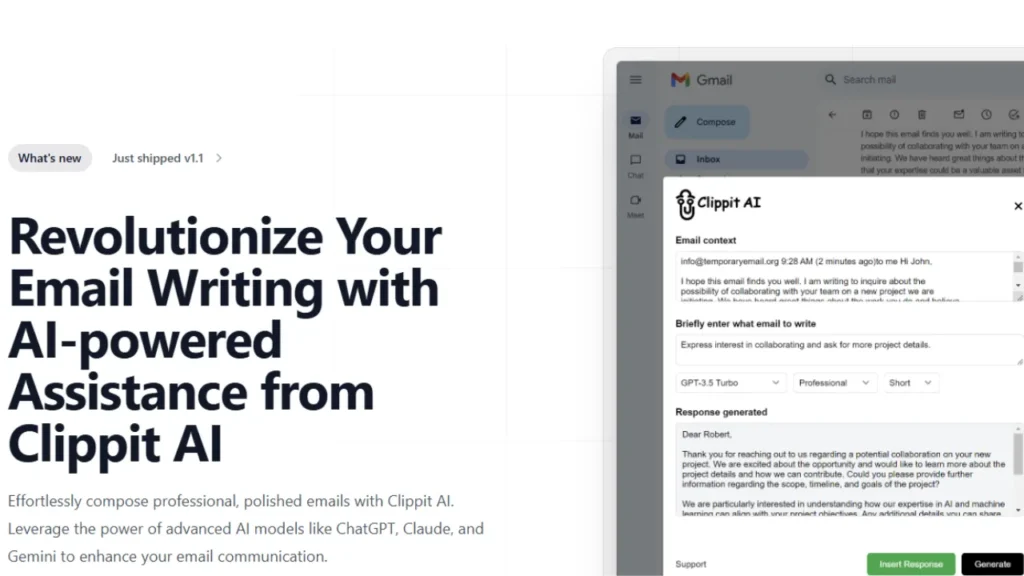
Clippit AI is an AI‑driven writing assistant. It’s designed to help you with your emails and messages, so that you can write less and do more. Clippit AI integrates via a browser extension and is particularly powerful when used with Gmail, enabling you to compose or reply to emails from within your inbox.
Based on cutting-edge AI models such as ChatGPT, Claude AI and Gemini AI it produces well-crafted, context‑sensitive grammatically sound texts. Whether you’re looking for a full email or just a response, a rewrite, tone and grammar suggestions Clippit AI offers flexible writing assistance.
How Does Clippit AI Work (Step-by-Step)
Clippit AI makes your emailing & messaging easier with the power of AI.
Here’s exactly how it works:
Install the Clippit AI browser extension: Go to Clippit AI and download the browser extension (available for Chrome and other popular browsers). Once installed, you will see the Clippit AI icon on your browser tool bar. Log in or sign up to enable the AI features.
Open your email or messaging platform: Clippit AI is integrated into Gmail, Outlook Web and almost all web based messaging platforms. Open the email or message you would like to reply or compose.
Highlight or select the text: Choose the text you would like Clippit AI to react to or make better. When it comes to new emails, all you need is a blank draft. Clippit AI can write most if not all of the content from scratch.
Use Clippit AI to generate the draft: Click on the Clippit AI icon or open the extension panel. Select the kind of AI support you’re interested in:
Reply: Reply to an email or message.
Improve: Re-write the content with nice grammar and tone.
Summarize: If you need to, summarize lengthy emails.
Choose the tone you like (formal, professional, friendly and casual). Select your desired length.
Review and edit: Clippit AI will automatically create the draft for you. Preview the content for accuracy, tone and personalization. Make any minor edits if necessary. AI gives a strong starting point, but human review ensures professionalism.
Send or save: Once you are happy, paste the AI-generated text into email or message box. Dispatch it straightaway, or save it as a draft for a later time.
Optional (advanced features):
Templates & Saved Phrases: Save common phrases and templates to be used in the future for emails.
Multilanguage: Write in any language and the tone will be calibrated.
Business Plan Users: Use next-generation AI models such as GPT‑4o and Claude 3.5 to achieve even greater precision and more creative suggestions.
Key Features of Clippit AI
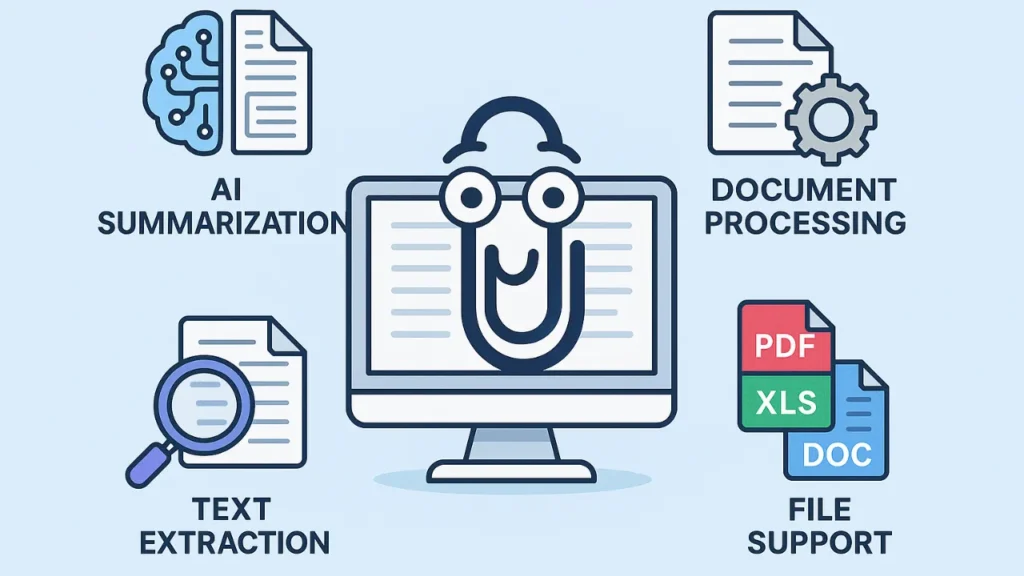
Here’s a more detailed explanation of what Clippit AI is including the features that make it valuable for writing email and messages, and why so many people find it helpful.
AI-assisted email and message writing: Auto compose full emails or messages with Clippit AI. Rather than starting from scratch, you provide the tool with some context or a prompt, and it produces a polished draft.
Contextual replies and message replies with context: When Clippit AI replies to an email or chat, it utilizes the existing conversation (or selected text) as context so responses are consistent and pertinent.
Tone and length customization: Users can personalize how the AI writes. Select tone (professional, casual, friendly, formal), and length of the draft (short, medium, long). This gives you the ability to match messages to your audience or context.
Support for multiple languages and multilingual writing: Clippit AI can support a variety of languages. Clippit AI is handy if you talk to people in English or another language. This allows it to be useful for non-native English speakers, or international communication.
Browser extension + Gmail integration: Clippit AI functions as a browser add‑on and can be integrated with web based email platforms (like Gmail). In other words, you don’t need a separate ap. You can compose or respond directly from your inbox.
Lightweight, easy, and fast to use: The extension is made to be as light and fast as possible so you can use it without incurring too much overhead.
Flexibility in activation and use: You can access Clippit AI through multiple ways such as extension icon, right-click menu when the text is selected or via email interface itself.
Improved writing quality and professional tone: Clippit AI generates well‑written emails/messages using sophisticated AI models. Clippit AI is perfect for business communication, freelancers or formal writing.
Time and effort saving (boost productivity): Since Clippit AI can automatically write, emails and message drafts for you, it frees up the time you spend writing replies or even writing from scratch which is particularly useful if you have a high email volume.
Flexibility for many use cases: Whether you need to write a new email, respond to an email, improve your writing or even write in different styles or tones Clippit.AI fits many scenarios such as business users, office users, personal users, students.
Access to different AI models based on plan: Clippit.AI supports multiple AI models, from simpler options to more complex (at paid levels). This influences the quality, level of finesse and “intelligence” of responses as well as writing style.
Free plan + paid tiers for heavy or professional use: There’s a free plan (for light use), but more serious or professional email work might be better served by one of the paid (Pro/Business) plans which allow better model access and unlimited usage.
Clippit AI Pricing and Plans
Here’s a breakdown of the current pricing and plans for Clippit AI (as per their official pricing page).
| Plan | Price/Cost | What is Included/Best For |
| Free | $0 (Free) | Up to 15 AI‑generated responses per month. Good for light or occasional use. Powered by their mid‑tier models (e.g. GPT‑3.5 Turbo & Gemini 1.5 Flash). |
| pro | $15.00 per month / $159.00 per year (≈ $13.25/month if billed annually) | Unlimited usage Ideal for regular users, freelancers, or anyone with frequent email/messaging needs. Better quality responses, available even during high demand, with priority support. |
| Business | $39.00 per month / $347.00 per year (≈ $28.9/month if billed annually) | Highest tier: uses premium models (e.g. GPT‑4o & Claude 3.5 Sonnet), unlimited usage, best response quality, priority support. Suitable for professionals, teams, heavy email writers. |
Who Should Use Clippit AI?

Clippit.AI is created to help you save time, write better and facilitate communication. Here’s a straightforward rundown of who stands to gain the most from this AI tool, and how they can effectively use it.
Professionals and Employees
Use Case: Writing emails, responding to your customers, sending a proposal or follow up.
Benefit: It saves hours of typing, and guarantees that messages are professional.
Example: Salespeople can automatically create personalized outreach emails to leads.
Freelancers and Remote Workers
Use Case: Talking to clients, writing proposals, and managing several projects.
Benefit: Minimizes burnout and guarantees professional communication between diverse clients.
Example: A freelancer can quickly reply to dozens of inquiries while maintaining a professional tone.
Students and Academics
Use Case: Writing an academic email to faculty or a prospective authority, sending a query message or drafting assignments.
Benefit: Ideal for non-native English speakers to write grammatically correct and formal emails.
Example: A student email of request for guidance on a research.
Customer Support Agents
Use Case: Answering routine customer inquiries with polite and accurate responses.
Benefit: Response quality and accuracy can be improved, saving time.
Example: Support teams can manage and process high ticket volumes more efficiently.
Marketers and Social Media Managers
Use Case: Writing outreach emails, collaboration messages, or marketing communications.
Benefit: Guarantees compelling, concise and on-brand messaging.
Example: Marketing manager can send many personalized emails in the campaign.
Non-Native English Speakers
Use Case: Speaking English to coworkers, customers or professors.
Benefit: Enhances overall message grammar, tone and clarity.
Example: International users can type professional emails without fear of mistakes.
Individuals Seeking Productivity
Use Case: Anyone looking to spend their time more efficiently while email writing or messaging every day.
Benefit: Let’s you focus on other important tasks while Clippit.AI handles drafting.
Example: A working professional or entrepreneur who gets dozens of emails throughout the day.
Conclusion: Is Clippit AI Worth It?
Clippit.AI is worth it as an adjunct to writing tasks, not a substitution for all writing. This is particularly useful for day-to-day communication, outreach, client work or when you are pressed for time. But for important, complex or really sensitive writing, it should be used as a drafting assistant.
You might find Clippit.AI particularly useful to help you write those outreach emails, client proposals and blog‑related correspondence fast. If you want to try it begin with the free plan. Upgrade to Pro later, if it fits your workflow. But always read & personalize your AI‑generated texts before hitting send.
FAQs: Clippit AI
Is Clippit AI free to use?
Yes, there is a free version of Clippit.AI which provides up to 15 AI responses per month. For higher frequency or professional use, you will need a Pro or Business plan.
What are the platforms Clippit AI is compatible with?
Clippit.AI functions as a browser extension which can be used with webmail programs such as Gmail. It can also interface with other messaging platforms and is operable within your web browser.
Will Clippit AI help those who do not have English as their native language write better emails?
Absolutely!
Clippit.AI can fix your grammar, tone and clarity to make sure non-native English speakers sound like professionals with proper, polished and context-related emails / messages.
Read Also:
How to Avoid AI Content Detection in Your Review / Research Article?
The Easy Way to Design Logo with Dall-E
.


