

Trevor AI is already one of the most discussed tools in 2025. Trevor enables automated workflows, intelligent task management and integration with all tools that you use every single day. Trevor AI is touted as a tool that can streamline processes, save time and increase effectiveness.
In this in-depth Trevor AI Review 2025, we will discuss the features, pricing, use cases and finally at the verdict if you should go for Trevor AI. This guide will help you to see what Trevor AI brings to the table.
Table of Contents
What is Trevor AI?
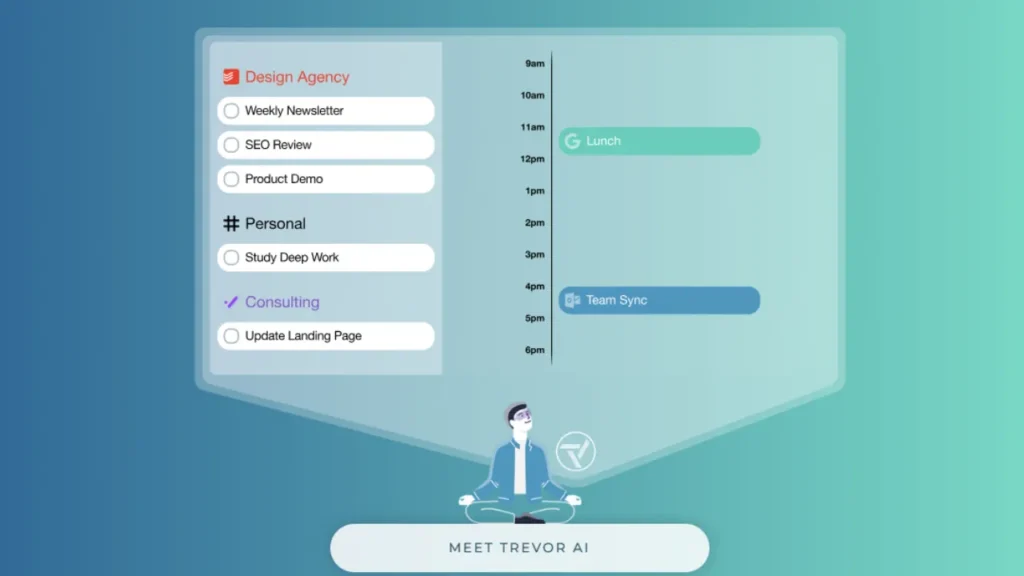
Trevor AI is an AI-based planner built to integrate your to-do list and calendar into one organized schedule, further assisting in managing and planning time effectively.
Instead of simply listing out tasks or events individually, Trevor AI allows you to drag and drop these tasks or use its AI to automatically convert them into time-blocks into your calendar according to your availability.
With features like AI-predicted task duration, smart scheduling, and real-time calendar sync, Trevor AI enables you to transform random chores into organized daily or weekly plan.
Trevor AI has productivity tools too. A “Focus Mode” to help you keep on track with one task and an “Ask Trevor” chat assistant can create, reschedule or bulk manage tasks using implicit natural language.
Trevor AI is not just a to-do list or a calendar. It’s an intelligent scheduling assistant that helps you balance your time, alleviate decision fatigue, and stay focused on what matters.
Key Features of Trevor AI (In-Depth Breakdown)
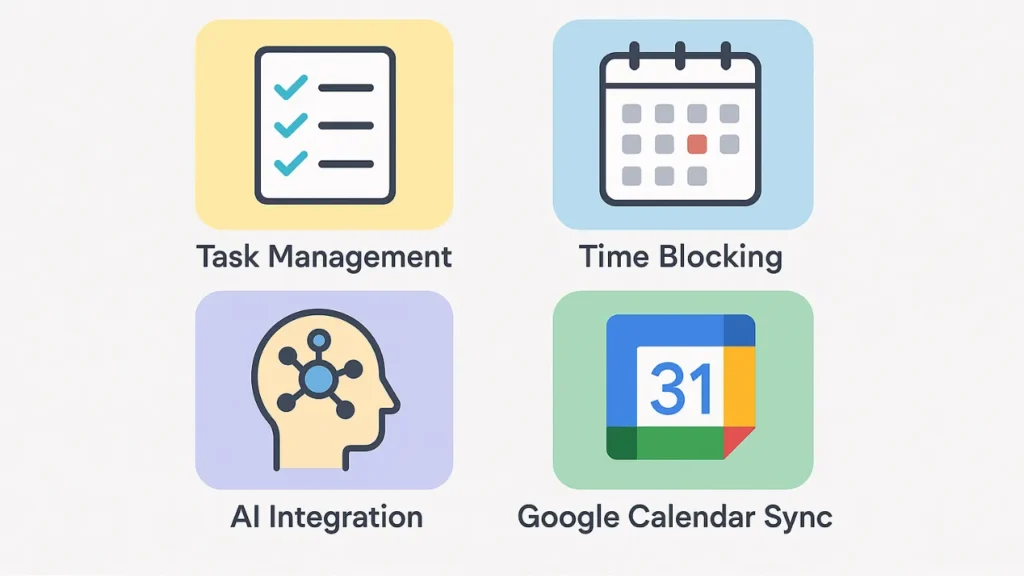
The key features of Trevor AI are:
Unified Task + Calendar Management
Trevor AI is a combination of task manager (to‑do lists, notes, color-coded tasks) and calendar so you don’t have to continually navigate between a separate to‑do app and your calendar.
You can add, remove, and complete tasks Assign due dates and durations, even recurrence rules which feel quite ordinary for a to‑do list. What`s more, all your events and to-dos on the calendar display in real-time, giving you an instant overview of all your tasks and appointments.
AI-Powered Time-Blocking and Smart Scheduling
The Trevor AI automatically estimates the duration of tasks as well, which enables a more realistic planning. Trevor AI advises the most productive time slots to slot those tasks into, based on your availability and calendar with no second guessing based on what is easiest for you.
You can then drag & drop tasks onto time‑blocks, or just accept scheduling suggestions with a click so you never have to worry about missing a window. You can convert free floating action items into structured plans.
There’s a “Plan My Day / Week” feature. Trevor can create a day or weeks’ worth of schedule for you (or just suggest one) according to your pending tasks and calendar constraints.
Focus Mode and Deep Work Support
Trevor AI includes a Focus Mode that lets you focus on one thing with tools such as timer, notes and the breaking down of action plans.
By time‑blocking and tackling one task at a time, Trevor aims to mitigate multitasking and decision fatigue a method that might suit you if you want to improve productivity or work in bursts of deep focus.
Smart Scheduling Queue and Bulk Automation
You can create a smart scheduling queue so that you’re telling Trevor which items or lists should be prioritized and the A.I. will try to order those first as it constructs your day plan.
That is convenient as long as you have a to-do backlog. Instead of triaging it, and establishing manually what work you schedule for yourself this week, you can let Trevor optimize and decide if multiple items should be scheduled simultaneously.
Recurring Tasks, Reminders, & Overdue Handling
Trevor also supports recurring tasks and scheduled events, so you can add something like weekly chores or monthly bills (or just studying time), once, and have it stay scheduled.
When one of your regularly scheduled tasks gets behind, Trevor does not let you down. It shows overdue tasks and suggests new times so you can slot them without dropping (or losing track of) the ball.
Cross-Platform Integration and Syncing
Trevor AI syncs with all the major calendar services such as Google Calendar and Microsoft Outlook/Office365 so, you can have your events and to-dos always synchronized across all of your devices.
It also supports certain task managers like Todoist and the notion of task integrations thus, allowing you to pipe in existing tasks then manage from a single place within Trevor.
Progress Tracking and Productivity Insights
Trevor has a Progress & Reports dashboard to display your history of getting things done and what proportion of time you’ve spent on various lists or categories.
This enables you to analyze productivity patterns, see where your time is being spent, and improve your time estimates and planning habits over time.
Flexible UI and Customization
You can personalize parameters as you wish. Select your scheduling calendar, default task duration and other settings like start of day, alert times or compact/detailed schedule layout, and more.
This customization allows you to customize Trevor to work the way you do from a clutter-free base planner to a fully detailed schedule.
How Trevor AI Works (Step-by-Step Guide)

The Trevor AI works as follows:
Sign up and connect your calendar: Begin by signing up on Trevor AI. You can sign up with your email or Google account. Then you link with your current calendar (Google Calendar, Outlook, et al.). This will let Trevor AI read your availability and prevent it from double-booking tasks.
Add your tasks: Manually input tasks or import tasks from other platforms, such as Todoist. You can also include details such as task name, priority level, estimated time and due date. Optionally: Organize your tasks in categories or projects.
Let Trevor AI schedule your day: Auto-schedule your tasks directly into your calendar with Trevor’s AI-powered scheduling feature. The AI takes into account your available time, task length and priority, as well its deadline to come up with an optimal schedule. You can also drag and drop tasks if you prefer to do things manually.
Focus mode and task execution: Boost productivity by working on one task at a time without interruption with Focus Mode. You also get a timer built into it, and the app will send you notifications to help keep you on track and complete things in timely manner.
Track progress and adjust: When you’ve finished checking off things, just mark them as done. Trevor AI keeps your schedule current. If a task is overdue or not done, Trevor sends rescheduling options just to make sure you never miss your deadlines. Analyze how time is spent with productivity insights and optimize future planning.
Customize and automate: Customize default task duration, notifications and calendar view to fit your workflow. Use your smart scheduling queue to automatically schedule task in priority of importance. Connect with other tools and apps to keep your productivity set up in one place.
Trevor AI Pricing (2025 Updated)
Here’s how Trevor AI is priced as of 2025 and what you get with each plan.
| Plan | Price | What you get/Limitations |
| Free | $0 / month | Basic personal use: you get core scheduling/task-management features, one calendar account integration, smart scheduling suggestions, Focus Mode, and basic automation. |
| Pro | $5/month (if billed annually) or $6/month (if billed monthly) | Unlocks advanced features: ability to connect multiple calendar accounts, recurring tasks, “smart scheduling queue,” personalized AI scheduling, rescheduling suggestions, deeper productivity insights, and full task-automation capabilities. |
Final Verdict — Is Trevor AI Worth It in 2025?
Ultimately, yes Trevor is worth trying in 2025, especially if you’re an individual, student, freelancer or professional wanting to better structure your schedule and to-do lists. But whether it’s “worth it” depends somewhat on what you are looking for.
Curious?
Try the free version of Trevor. For lots of people, once you start putting tasks and time slots together, visually aligning with each other it’s a small thing, but suddenly everything gets super organized and clear.
If you subsequently determine that you need more flexibility such as separate calendars, recurring tasks, and smarter rescheduling the paid plan might be worth your while.
FAQs: Trevor AI Review 2025
Is Trevor AI free to use?
Yes, Trevor has a free plan with some basic task management, calendar syncing, and smart scheduling suggestions. The Pro plan is required for more advanced features however, including multiple calendar integrations, recurring tasks, and greater automation.
Is the Trevor AI compatible with Google Calendar and Outlook?
Absolutely! Trevor syncs with Google Calendar, Microsoft Outlook and Office 365 so you can sync all of your events and avoid double booking as well as scheduling tasks directly into your calendar.
Who is Trevor AI ideal for?
Trevor is great for students, freelancers, professionals and anyone looking to blend their to-do list with time-blocking. It’s ideal for people who are looking to keep their tasks clean and organized.
Read Also:
How to Use an AI Detection Remover to Keep Your Content Unique?


