
Digital design has come a long way with the rise of artificial intelligence, and tool like Krea AI are at forefront of this revolution. Krea AI represents an exciting tool for generating images, videos, and 3D meshes on-the-fly.
Its use has surged this year in popularity, particularly among designers seeking more creative control and quicker results.
In this detailed Krea AI Review we will cover everything there is to know, such as features, price, use cases and whether it’s even worth your money in 2025. If you are considering Krea AI for professional or personal creative work, this article will help steer you in the right direction.
Table of Contents
What is Krea AI?
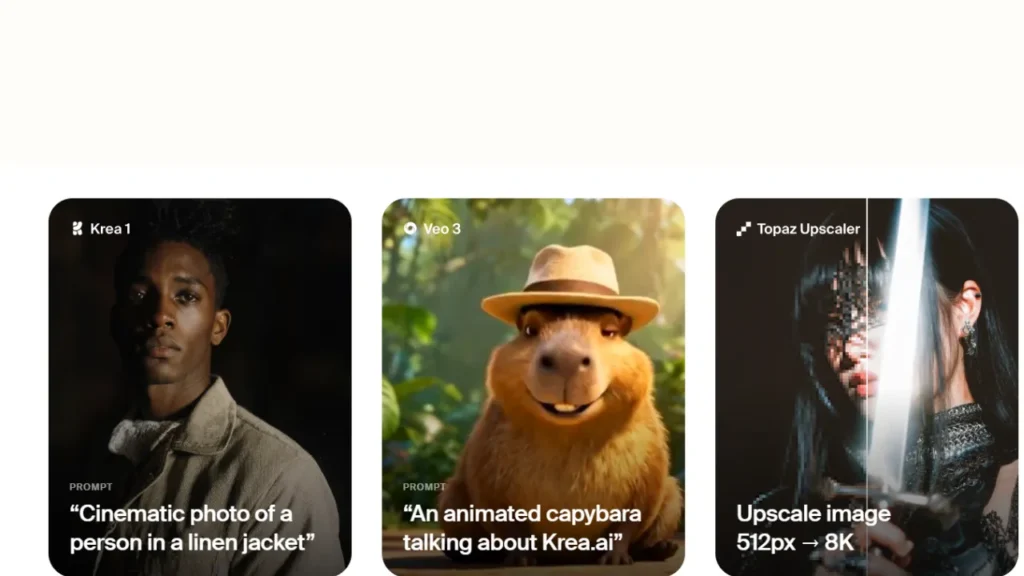
Krea AI is a robust AI powered tool that allows you to create, edit, improve and animate your images & videos using deep learning right inside your browser. It’s designed for creators, designers, marketers in fact anyone who needs fast and beautiful visuals without much effort.
Krea AI is a tool that take text prompts, doodles or reference images and transform them into beautiful imagery. It includes AI image generation, video creation, real-time visuals, upscaling, editing and using your own custom training data for your personal AI model.
Krea AI is designed to be simple to use and you don’t need any technical skills or tutorials to begin building.
Key Features of Krea AI

Krea AI comes with a powerful set of features. Here are the main capabilities that users love:
Live Mode Image Generation
One of the features included with Krea AI is Live Mode, which means you can watch your images evolve in real time. Unlike classic AI models, where you fill in a prompt and wait for the final output, Live Mode updates your image as you craft prompts or change settings or styles.
This interactive approach provides creators with far more control over the result, while removing the headaches of trial and error.
Whether you are creating concept art, print work, or web content, Live Mode helps you see what your final image will look like while you are working. It’s especially handy for professionals who require accurate results fast.
Text-to-Image Creation
Krea’s text-to-image generation is amazing, enabling users to churn out beautiful images from plain text inputs. Type out a short description, or even an elaborate sequence of events, and Krea AI will take your words literally to create images in multiple styles: realistic photography, anime, digital illustration and so on.
This feature is suitable for artists, content creators, designers or hobbyists seeking to create their very own manga and comics. The AI’s ability to understand context and style ensures that your concepts come to life accurately. It’s also well-suited to storytelling visually and coming up with design ideas.
Reference-Based Generation
Another strong feature with Krea AI is reference-based generation. Users can import sketches, images or concept board. Rather than simply asking for textual prompts, the AI uses your visual references in conjunction with a description of the image you want it to create, which should result in more accurate contextual based images.
It makes great sense especially in cases where designers do not want to compromise on brand style or character designs / aesthetics of the current project. By utilizing references, Krea AI minimizes the risk of off-target results so you can iterate faster, producing better output that is more in line with how you envisioned.
Advanced Style Controls
Krea AI provides advanced style controls so users can tailor the artistic palette applied. You have a variety of visual styles to choose from such as; surrealism, hyper-realistic art, water coloring or anime depending on your preference.
These controllers enable artists to create visual that fit certain moods, branding or creative direction. Whether you’re making illustrations for a story, marketing visuals or experimental art, style controls give you the freedom to attain your perfect aesthetic.
With Live Mode and this feature you can be sure that every created image fits your professional or personal creative needs.
Image Editing and Upscaling
Krea AI also includes advanced editing and upscaling options. Once you have an image, you can touch it up and improve the resolution/remove defects/change colors/enhance details. Make sure your visuals always look great whether it’s for print, social media or portfolio.
If you’re producing in large formats, upscaling lets you preserve image quality by preventing the loss of sharpness which typically occurs when enlarging an image. Editing tools let you make precise modifications without starting from scratch.
The confluence of generation abilities and post-processing features makes Krea AI the one-stop tool for creators who want top-quality results.
AI Video Creation and Animation
Krea AI can do more than just static images, with AI video generation and animation. Users can animate characters, objects and entire scenes with the platform’s AI models. Krea AI is perfect for marketers, content creators, educators and storytellers who want to add a little motion to their images.
You can cut short clips, animated stories or marketing video straight inside Krea AI.
Templates and Presets
Krea AI features built in templates and presets. These premade templates enable you to begin a project without having to come up with complex prompts yourself. Templates are available for specific styles, applications and artistic effects.
Presets can also inspire, giving you cues on how to format or adjust settings for a particular desired result. This capability shortens the learning curve to allow both novices and professionals to efficiently save time on photo processing.
Custom Model Training
Krea AI allows users to train custom AI models. You can have your own AI that follows your artistic style, brand aesthetics, or specific project preferences. A custom training guarantees that odd projects work the same way and super specialized results can be obtained.
It is especially useful for professional artists, studios or brands that want to have a strong visual identity.
High-Resolution Outputs
Krea AI is capable of delivering high-resolution images and visuals. Whether you’re creating graphics for social media, marketing materials, presentations, websites or something else entirely, the quality output is sharp and detailed.
High-resolution results are critical for ensuring professionalism. The powerful generation algorithms and resolution optimization make sure your images preserve all the details, textures and colors.
How Krea AI Works (Step-by-Step Guide)
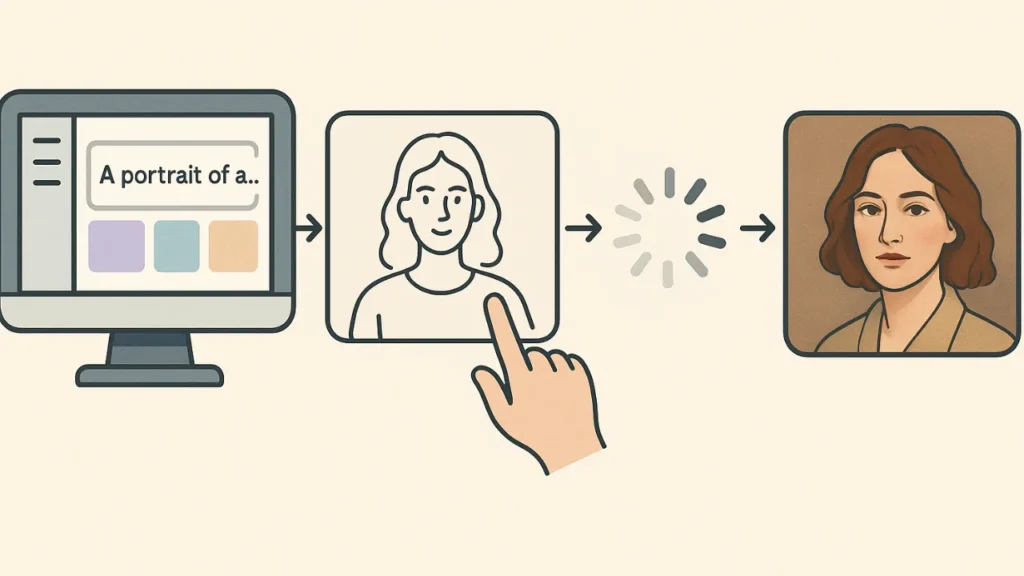
Krea AI is designed to be simple for beginners. Below is a clear, step-by-step explanation of how Krea AI works.
Create an account and log in: To begin, simply visit the official Krea AI website and sign up for a free account using your email or social login. When you log-in, you will see the main dashboard that provides access to all creation tools. It’s free for newcomers who can use the basic functions of it to get the understanding of how Krea works before they upgrade.
Choose a creation mode: Once you’re signed in, decide how you’d like to create your content. Krea AI also provide different modes like Live Mode, text to image, reference based generation or animation/video creation. Each mode is optimized for a different aspect of the creative workflow, so you can pick the one that matches your project and experience level.
Enter a text prompt or upload references: You can then input a text prompt to describe the image or video you’d like to create. You may upload reference images or concepts, sketches and style samples for better guidance. This will help the AI know more about of your creative style, so it can get a closer result to yours.
Adjust settings and styles: Krea AI enables you to customize your result with style options, aspect ratio, resolution and artistic preferences. You can choose a visual style ranging between realistic, anime, cinematic and abstract. In Live Mode, changes appear instantly giving you have better control over the final image.
Generate and refine the output: When you have your settings in place- create the image(s) or video! If the result isn’t just right, you can tweak it by altering the prompt, switching up styles or editing specific elements. It also allows you to work toward high-quality results without having to start over.
Edit, enhance, or animate: After generation, you can use Krea AI’s editing tools to improve image quality, upscale the resolution, or even animate static visuals. This is great transitioning step if you’re looking to buff your content and getting it ready for a professional setting like marketing, social media, or design projects.
Export or download the final result: Export/download your final image or video in high resolution. Great for the web, social media, presentations and branding assets as well as creative portfolios. Paid users generally have access to higher resolutions and export possibilities.
Krea AI Pricing (2025 Updated)
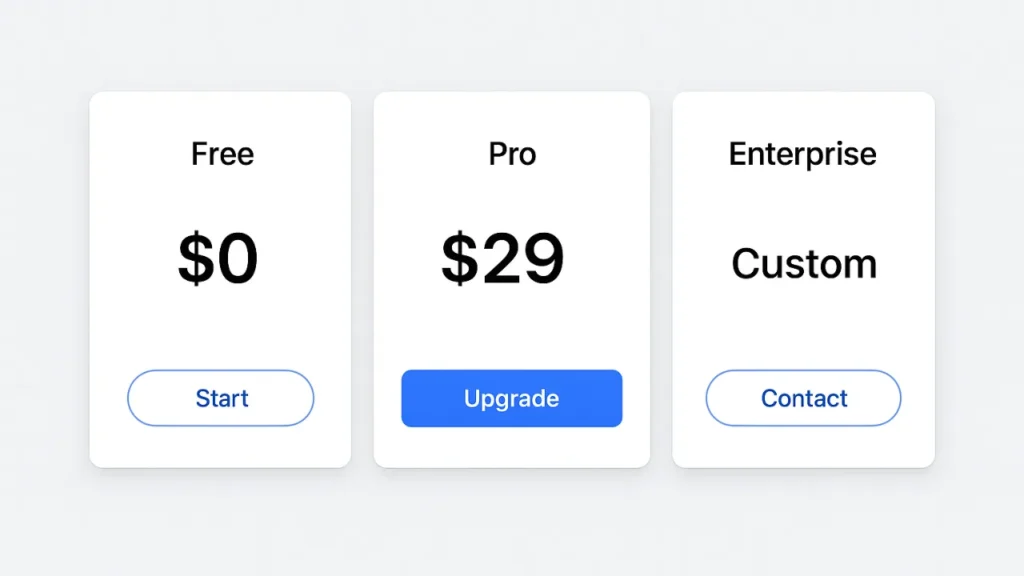
Krea AI offers a flexible pricing structure designed to fit the needs of casual users, regular creators, and professional teams.
| Plan | Price (Monthly) | Best for | Key Features |
| Free plan | $0 | Beginners & testing | Limited image/video generations, basic AI models, standard speed, no priority support |
| Basic plan | ~$8–$10 | Regular creators & freelancers | Higher generation limits, faster processing, more styles, commercial use allowed |
| Pro plan | ~$28–$35 | Professional designers & small teams | Large monthly quotas, advanced editing & upscaling, priority processing, commercial license |
| Max plan | ~$48–$60 | Agencies & power users | Very high generation limits, AI training jobs, fastest speed, priority support |
| Business/Enterprise | Custom pricing | Large teams & companies | Team collaboration, custom compute, enterprise security, dedicated support |
Final Verdict – Is Krea AI Worth It in 2025?
Krea AI is one of the most flexible and easy to use AI creativity tools in market. Krea AI offers some strong tools that deserve its spot in the fast-evolving world of AI image and video creation.
Yes, Krea AI is worth it in 2025 if you focus on speed, creative control and a large amount of features under one roof at the same time. It’s a powerful tool for:
- Digital artists
- Content creators
- Social media managers
- Freelancers and small business owners
- Marketing teams
- Anyone looking to produce high-quality visuals faster
Read Also:
How to Do Keyword Research with ChatGPT Prompt?


